Red Hat Developer Hub Installation
Red Hat builds and ships RHDH as a container image that is based on the Red Hat Enterprise Linux Universal Base Image (RHEL UBI).
There are several ways to install RHDH on OpenShift.
Installation Using the RHDH Operator
RHDH can be installed from within the OpenShift web console just like any other operator from OperatorHub.
Refer to the instructions here to install the RHDH operator on OpenShift.
| At the time of writing (Jan 2024), the operator is not yet available on OperatorHub. Watch this space for install instructions in the near future when the operator becomes generally available (ETA: Q1 2024). |
Installation Using Helm Charts
The Red Hat Developer Hub helm chart is available in the Helm Catalog in Openshift, and on ArtifactHUB (A repository of Helm Charts).
A short refresher on how to work with Helm Charts on OpenShift is here.
The source code, templates, and the values.yaml file for the helm chart are available here for inspection.
The chart contains an opinionated default configuration of Backstage with a pre-integrated set of useful plugins, and it also uses a PostgreSQL database to persist the configuration state of RHDH.
The Helm chart option is the most up to date and recommended method of installation currently. In this course, you will use the Red Hat Developer Hub helm chart to install RHDH.
Lab: Installation using Helm Charts
Pre-requisites
-
Order the OpenShift Single Node Cluster catalog item from Red Hat Demo Platform (RHDP). It should take an hour approximately for the classroom to be fully provisioned. You will receive an email with the details on how to access the OpenShift cluster. Verify that you can log in to the OpenShift web console as a cluster administrator.
Create a Project for RHDH
-
Log in to your OpenShift web console as the cluster administrator user (usually username is
admin). The username and password details for your OpenShift cluster are accessible in the RHDPServicesdashboard. You should have also received an email with the details of your OpenShift cluster.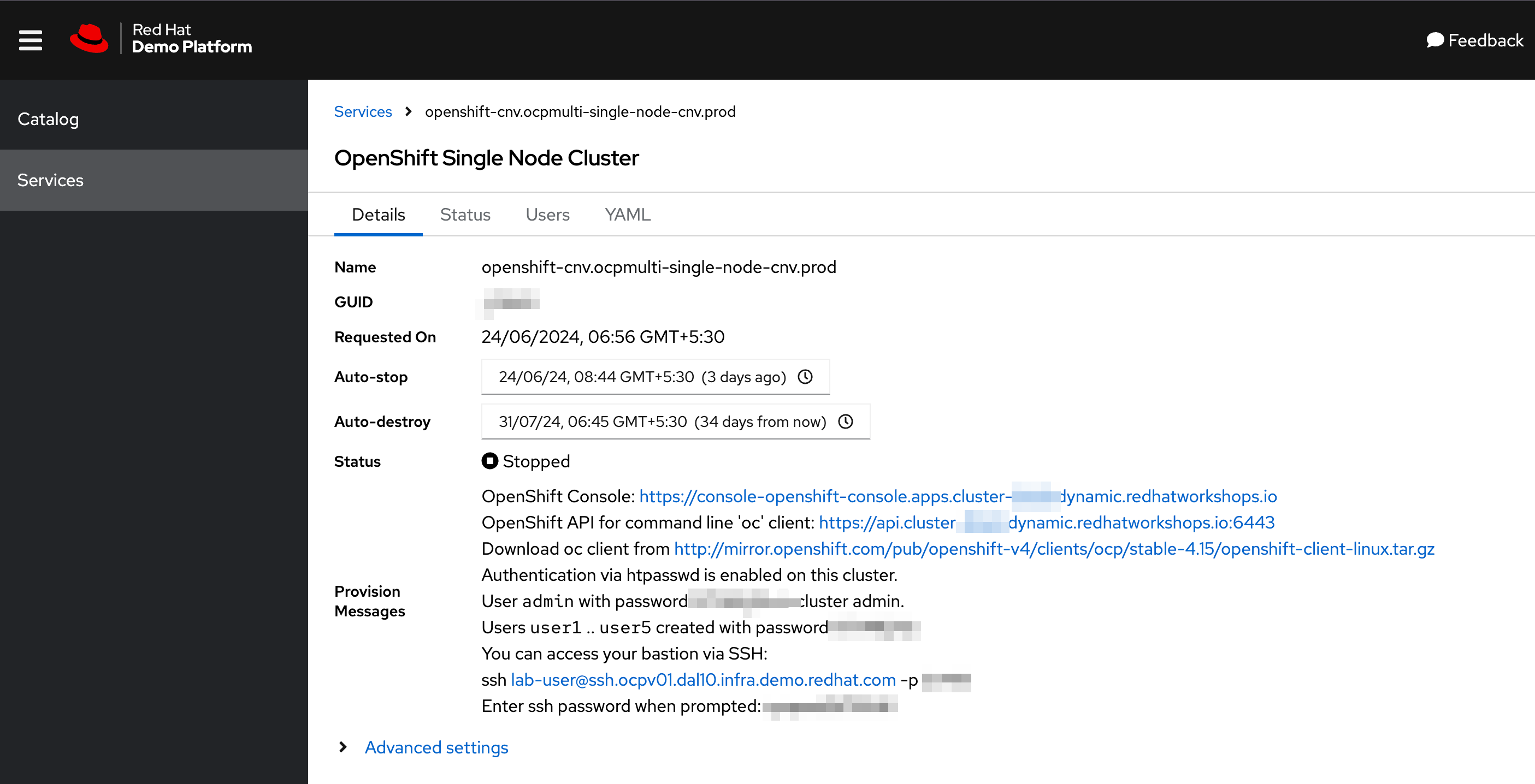 Figure 1. RHDP OpenShift Cluster Details
You can install the RHDH Helm chart as a regular, non-cluster administrator user, but this is not recommended. Many organizations have strict policies on who can install operators and charts in the OpenShift cluster.
-
Click on
Projects(Ensure you are in theAdministratorperspective of the OpenShift console). Create a new OpenShift project nameddevhub.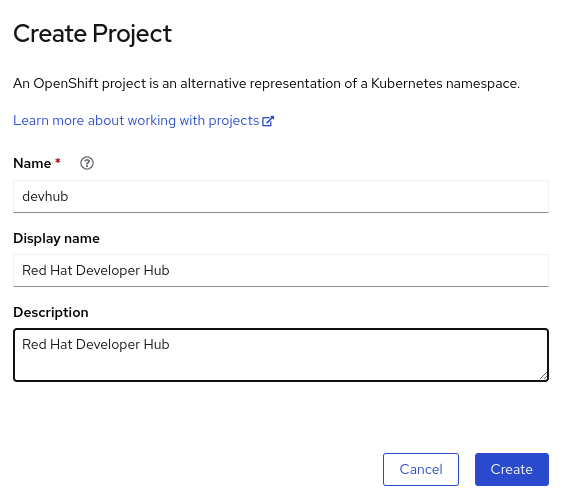 Figure 2. Create a new OpenShift Project
Install the RHDH Helm Chart
-
Switch to the
Developerperspective in the OpenShift console.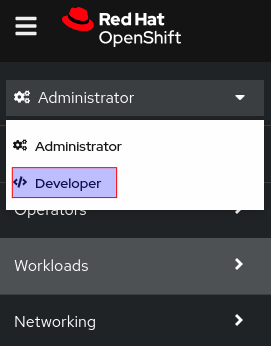 Figure 3. Switch to the Developer Perspective
 -
Click
+Addin the left side navigation bar of theDeveloperperspective, and then selectHelm Chart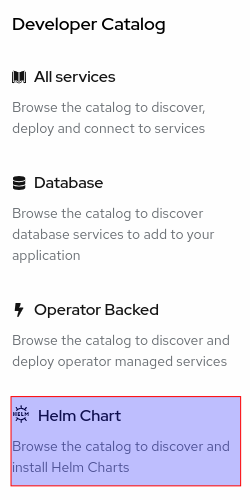 Figure 4. Add Helm Chart
 -
Search for
"developer hub"in the search field on this page, and then select theRed Hat Developer Hubchart.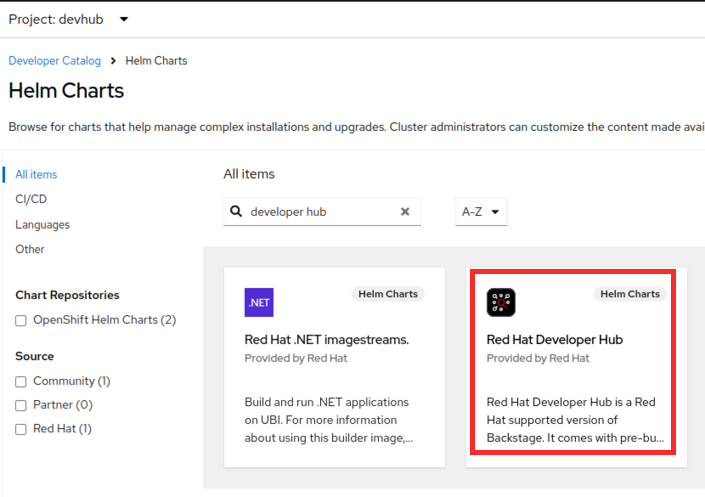 Figure 5. Search for RHDH Helm Chart
 -
In the
Red Hat Developer Hubchart page, clickCreate. You will see theCreate Helm Releasepage with some fields that need to be edited.-
Change the
Release Nametorhdh. Ensure that the latest helm chart is selected in theChart versiondrop-down (As of Dec 2023, latest RHDH version is 0.2). -
Expand
Root Schema > globaland change the first field value fromapps.example.comto the wildcard domain name of your OpenShift cluster. In RHDP, it is in the formatapps.cluster-<guid>.dynamic.redhatworkshops.io, where<guid>is unique to your provisioned OpenShift cluster. -
The final screen should look like the following:
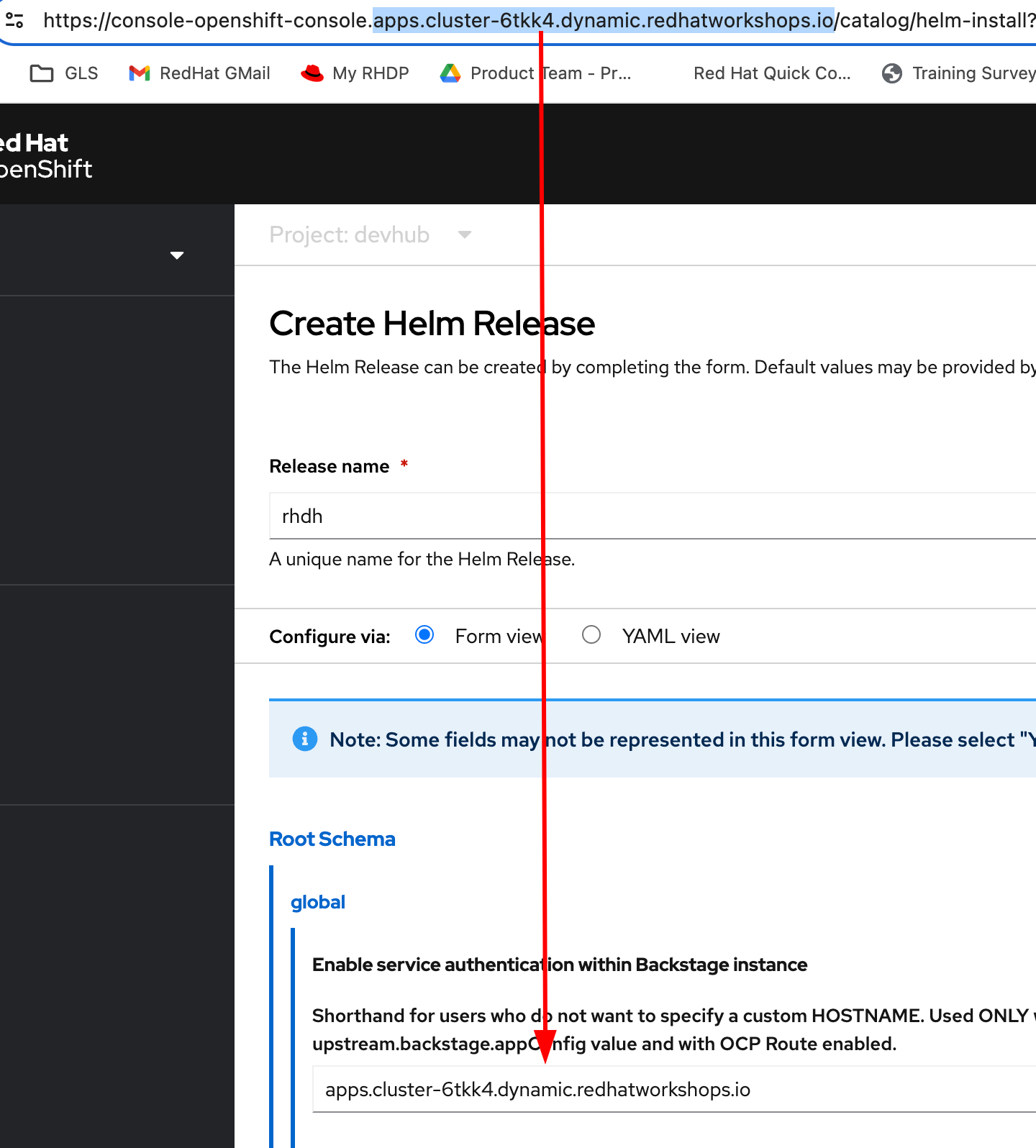 Figure 6. Edit Helm Chart Details
 -
Click
Createto deploy the helm chart.
-
-
Wait for 10-15 minutes while the helm chart is deployed. The
PostgreSQLandRed Hat Developer Hubshould be fully started. Click theOpen URLlink to access Red Hat Developer Hub.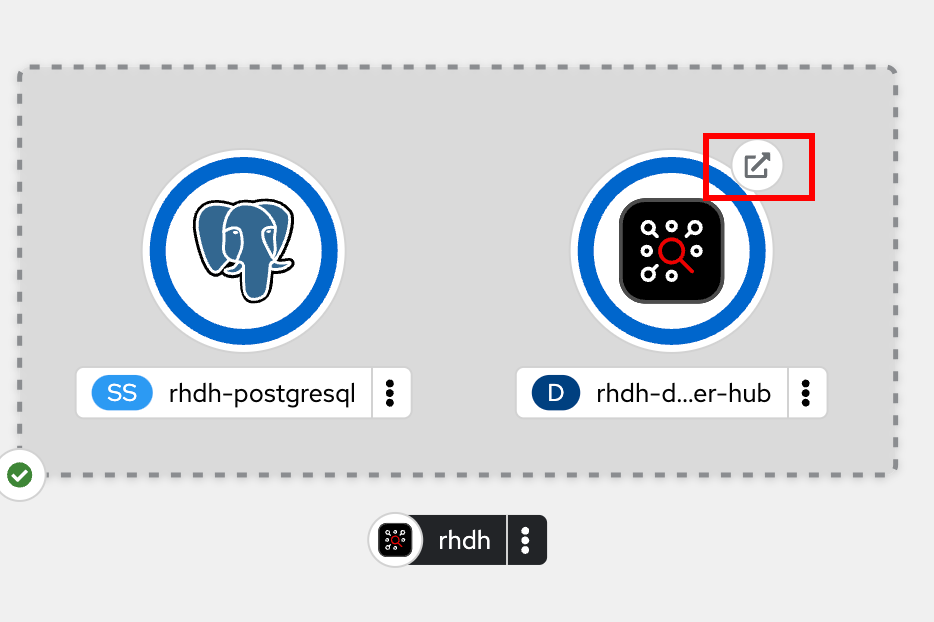 Figure 7. RHDH Topology View
 -
You should now see the Red Hat Developer Hub log in page.
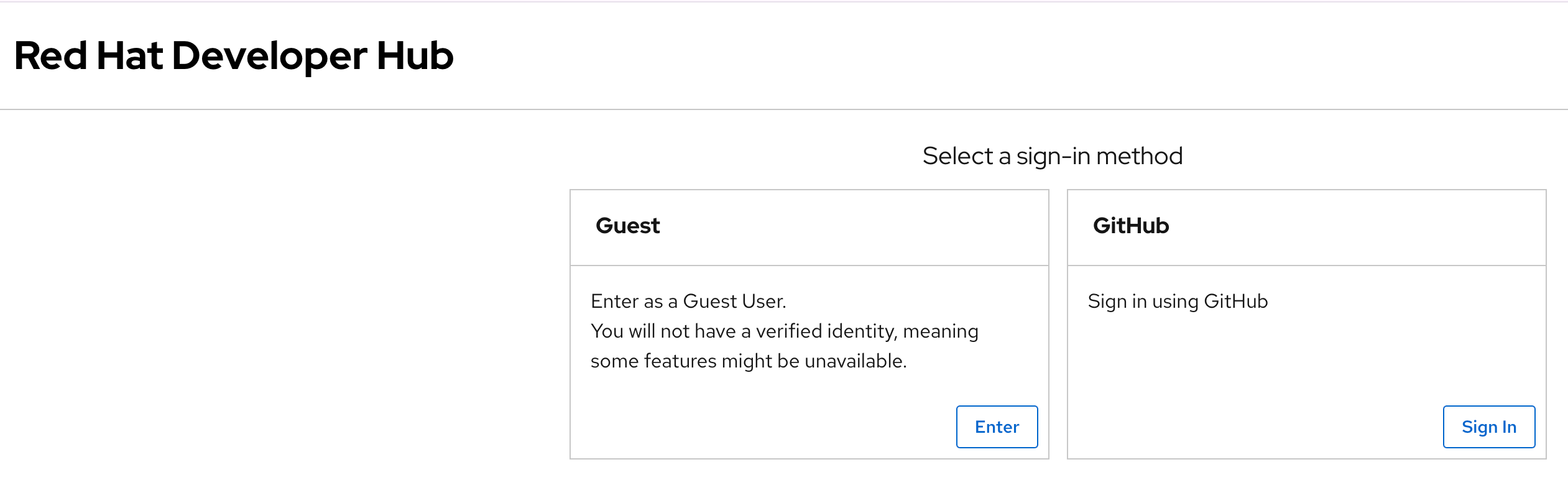 Figure 8. RHDH Log in Page
 -
Click
ENTERin theGuestcard to log in as a guest user. You will configure RHDH to authenticate against GitHub and other identity providers in later chapters of this course.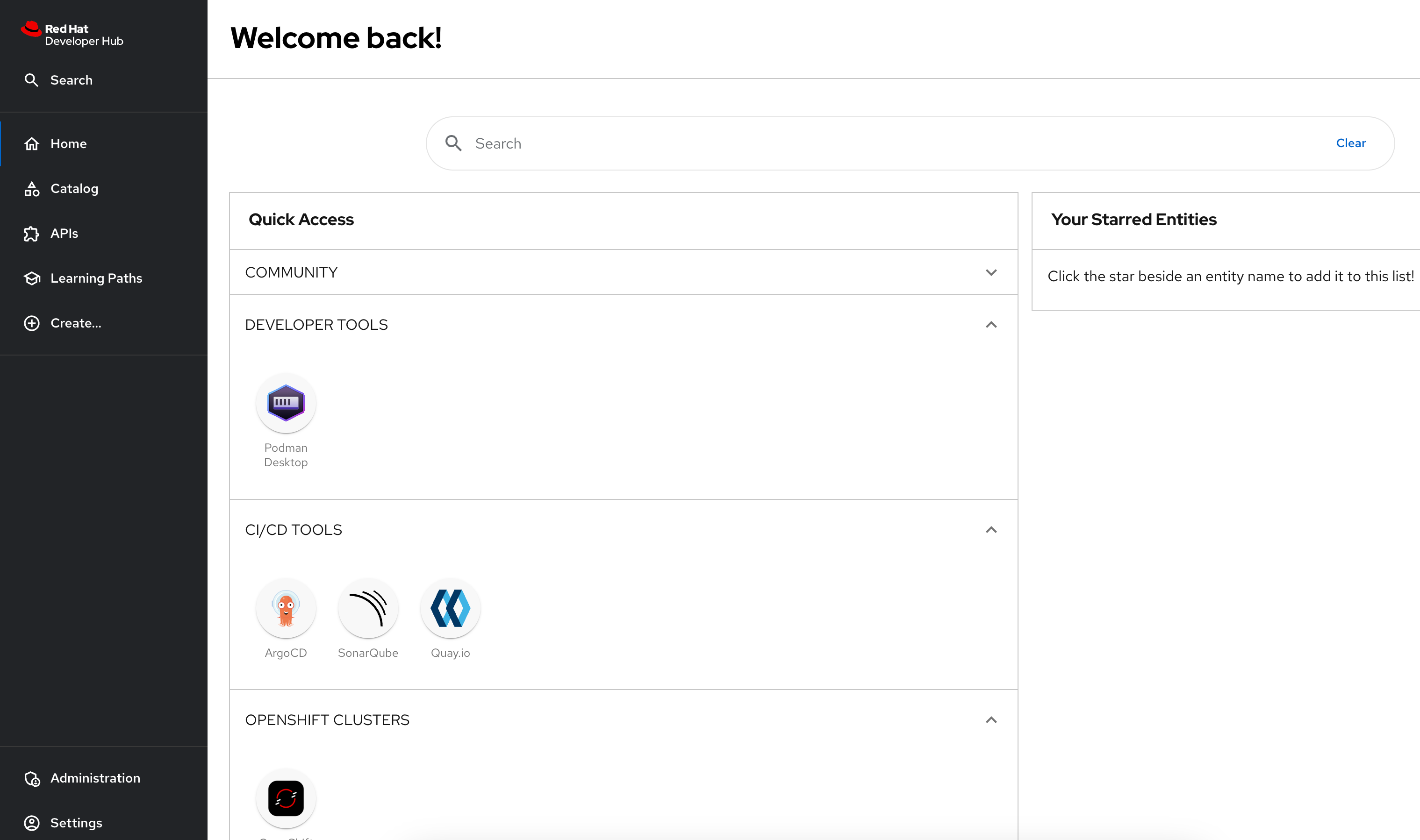 Figure 9. Log in as a guest user
You have now successfully installed Red Hat Developer Hub on your OpenShift cluster.
Installation using Helm CLI
You will need to install the helm CLI. You can download the helm and other CLI tools from the OpenShift web console by clicking the "?" icon on the top right navigation bar.
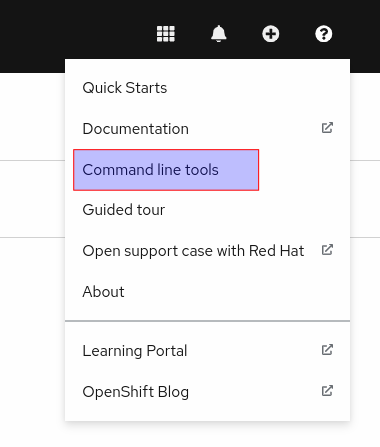
CLI Install Steps
-
Add the OpenShift helm chart repository
$ helm repo add openshift-helm-charts https://charts.openshift.io/ -
Download the default values.yaml file for the RHDH helm chart
$ helm show values openshift-helm-charts/redhat-developer-hub --version 1.0.0-1 > values.yaml -
Change the value of the global.clusterRouterBase attribute to the wildcard OpenShift DNS name, and also edit the upstream.nameOverride to rhdh.
global:
  clusterRouterBase: apps.cluster-<guid>.dynamic.redhatworkshops.io
  host: ""

upstream:
  nameOverride: rhdh
  backstage:
...
-
Log in to the OpenShift cluster as the cluster administrator. Ensure that you switch to the devhub project.
$ oc login -u admin https://api.cluster-<your_guid>.dynamic.redhatworkshops.io:6443 $ oc project devhub -
Install the RHDH helm chart with the updated values.yaml file
$ helm upgrade -i rhdh -f values.yaml openshift-helm-charts/redhat-developer-hub

Release "rhdh" does not exist. Installing it now.
...
NAME: rhdh
LAST DEPLOYED: Tue Dec  5 18:17:39 2023
NAMESPACE: devhub
STATUS: deployed
REVISION: 1
You may sometimes see the following error during install. These messages can be safely ignored.
1.26.9+636f2be is greater than or equal to 1.14-0 ERROR CWNAKNVCIEJVOEJVJO -
Wait for 10-15 minutes while the helm chart is installed. Verify that the rhdh-devhub and rhdh-postgresql pods are in Running state.
$ oc get pods
NAME                    READY   STATUS    RESTARTS        AGE
rhdh-5d9f68456d-2c4kq   1/1     Running   2 (6m12s ago)   6m23s
rhdh-postgresql-0       1/1     Running   0               6m22s
-
Fetch the OpenShift route for RHDH and open the URL in a browser to navigate to the RHDH home page.
$ oc get route rhdh-developer-hub --output jsonpath={.spec.host}
rhdh-developer-hub-devhub.apps.cluster-<guid>.dynamic.redhatworkshops.io
A short refresher on working with helm charts on OpenShift is available here.
More details about the RHDH helm chart are available at https://artifacthub.io/packages/helm/openshift/developer-hub.
RHDH PostgreSQL Database
|
The default installation of RHDH (for both Helm Charts and Operator based installs) deploys a single PostgreSQL 15 database pod. This is a potential single point of failure and could prevent RHDH from being highly available. You should deploy a cluster of PostgreSQL instances using a suitable operator that provides high availability. Refer to crunchydata, portworx, and EnterpriseDB for high availability PostgreSQL database options on OpenShift. You should follow the installation instructions and install the default single instance PostgreSQL to complete the install. You can then configure the RHDH container to integrate with a clustered PostgreSQL database instance, and delete the default PostgreSQL instance. The details of the configuration are covered in Chapter 2 of this course. |
Installation Troubleshooting
The following are some problems you could see during installation, and the potential fix for them.
-
Problem: The
rhdh-developer-hubpod is stuck in aCrashLoopBackOfferror with the following seen in the logs:Loaded config from app-config-from-configmap.yaml, env ... 2023-07-24T19:44:46.223Z auth info Configuring "database" as KeyStore provider type=plugin Backend failed to start up Error: Missing required config value at 'backend.database.client'Solution: This is happening because the configuration files are not being appropriately accessed by the RHDH container. You may have edited the helm chart values before installation, and one or more attributes are missing or configured incorrectly. It is recommended to keep the default values (except for the wildcard DNS name of the OpenShift cluster) during installation.
You can always edit and update the RHDH configuration after the installation is completed successfully.
-
Problem: I see the following error when installing the RHDH helm chart using the helm CLI:
Error: query: failed to query with labels: secrets is forbidden: User "system:anonymous" cannot list resource "secrets" in API group "" in the namespace "devhub"
Solution: Ensure that you are logged in to the OpenShift cluster as a cluster administrator before installing, removing or upgrading the RHDH helm chart. Also ensure that you are in the correct OpenShift project so that the resources are created in it.