Making RHOAI Hardware Profiles Work for You
From Hoarding to Governance at Scale with RHOAI Hardware Profiles
Stop lighting your GPU budget on fire. Start building an allocation engine.
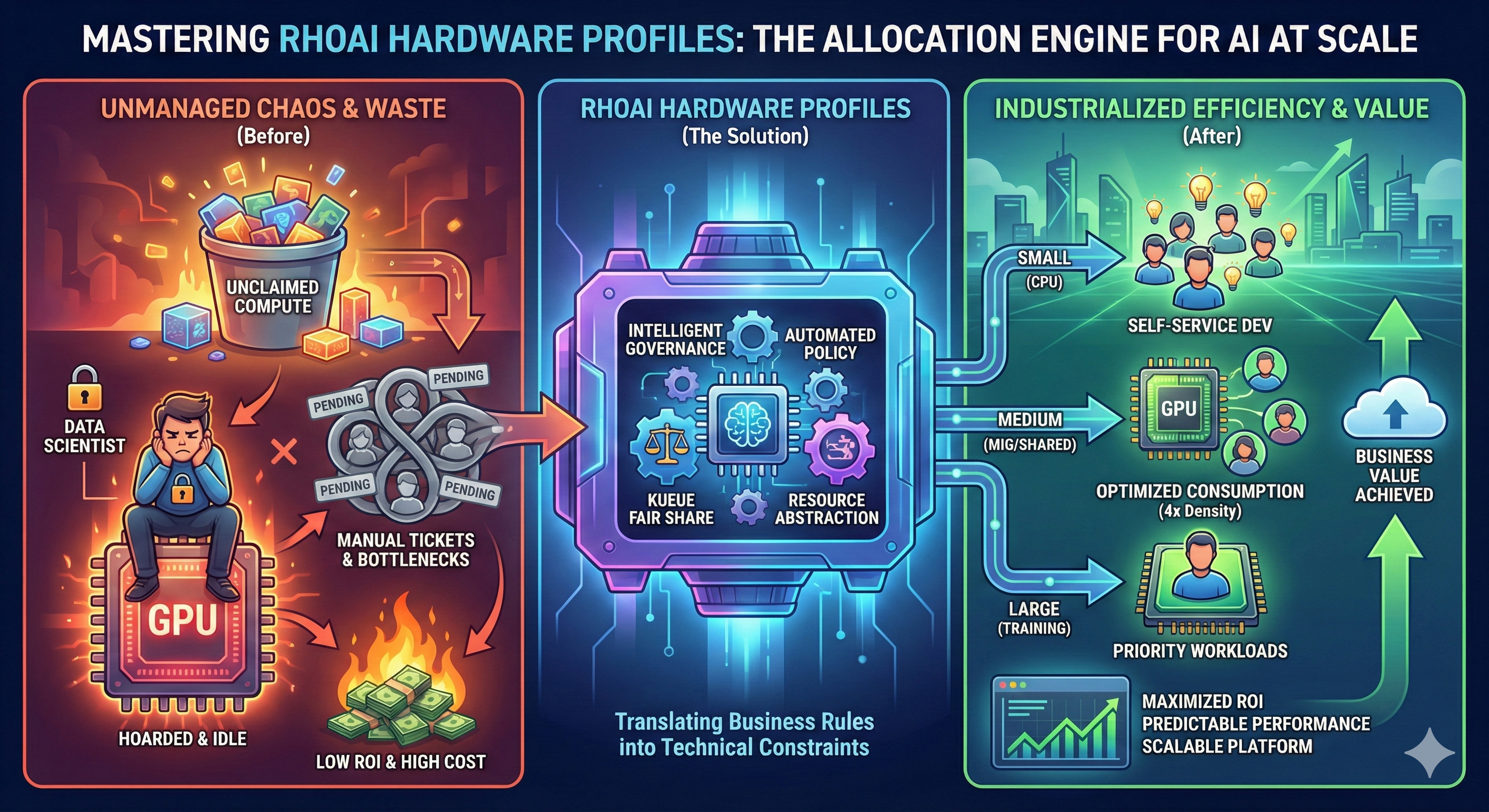
In the modern AI enterprise, silicon is the new gold. Yet, in many organizations, the consumption of this resource is treated like a "free-for-all." Data scientists hoard expensive GPUs "just in case," leaving them idle while high-priority training jobs sit in pending states. Development teams fight over scraps, and administrators are buried in tickets, manually pinning pods to specific nodes like air traffic controllers in a storm.
This is the "Wild West" of AI infrastructure. It leads to massive waste, low ROI, and frustrated users.
|
The Core Sales Objection
"Why do we need Hardware Profiles? Can’t we just use public cloud APIs or standard Kubernetes node selectors?" Public APIs are simple but drain your wallet with unpredictable fees. Basic Kubernetes node selectors work for five users but fail at fifty. You need a factory floor, not manual intervention. Hardware Profiles provide the governance layer that turns raw compute into a managed, efficient utility. |
Hardware Profiles
The Red Hat OpenShift AI (RHOAI) Hardware Profile is the "vending machine" for your compute power. It transforms complex Kubernetes constraints—Taints, Tolerations, and Resource Limits—into a simple, governed menu for your users.
Hardware Profiles serve as the abstraction layer between the complex physical reality of your data center (MIG partitions, specific GPU architectures) and the data scientists who just want to do their work.
Three Pillars of Value
By implementing Hardware Profiles, you unlock three critical capabilities that manual node management cannot provide:
1. Maximize ROI ("The Efficiency Engine")
Without profiles, a single user running a lightweight data prep notebook might lock an entire NVIDIA A100 GPU. This is financial waste.
-
The Win: Hardware Profiles allow you to enable Time-Slicing or target Multi-Instance GPU (MIG) partitions.
-
The Benefit: You can squeeze 4 to 5 times more concurrent users onto the same physical hardware. You define a "Small GPU" profile that shares resources, reserving exclusive access only for "Training" profiles.
2. Automated Fairness ("The Traffic Controller")
In a shared environment, "noisy neighbors" can crash critical experiments. Without arbitration, the first person to claim resources wins, regardless of priority.
-
The Win: Hardware Profiles integrate natively with Kueue, a cloud-native job queuing system.
-
The Benefit: You achieve "Fair Share" scheduling. If Team A isn’t using their quota, Team B can borrow it instantly. When Team A returns, the system reclaims resources automatically. This ensures 100% utilization without political friction.
3. Industrialized Scale ("The User Experience")
Data scientists should not need to learn YAML, Taints, or Tolerations to do their job. Forcing them to configure pod specs leads to errors and support tickets.
-
The Win: Hardware Profiles abstract complexity into "T-Shirt sizes" (e.g., Small - CPU Only, Large - NVIDIA A100).
-
The Benefit: Users simply select a profile from a dropdown menu in the RHOAI dashboard. You define the rules once in the background, and the platform enforces them forever.
Your Mission: Build the Allocation Engine
In this course, you will not just learn about hardware limits; you will build an automated governance system. You will take on the role of a Platform Engineer tasked with industrializing a fleet of AI resources.
You will execute the following technical workflow:
-
Discovery & Labeling: You will use CLI tools to identify your physical accelerators and apply the necessary labels to distinguish between different hardware types (e.g.,
nvidia.com/gpuvsintel.com/gaudi). -
Automated Creation: You will move beyond the UI to define
HardwareProfileCustom Resources (CRs) as code, setting strict CPU/Memory limits and tolerations. -
The Payoff (Integration): You will connect these profiles to Kueue, enabling advanced scheduling logic that automatically manages quotas across different teams.
|
Prerequisites
To successfully complete the hands-on sections of this course, you need:
|
Ready to reclaim your compute budget? Let’s start by analyzing your hardware landscape.